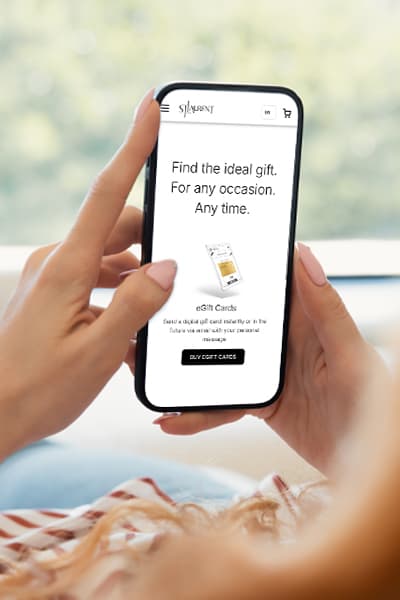
Give the Gift of ChoiceClick below to purchase a St. Laurent Shopping Centre eGift Card that can be used at participating retailers at St. Laurent Shopping Centre.Purchase Here
Samsung Galaxy Watch6 Classic (Bluetooth, 47mm) | St. Laurent Shopping Centre
*Product information and pricing may vary - to confirm current pricing, availability, shipping, and return information please contact Shoppers Drug Mart. In the event of a pricing discrepancy, the retailer's price will apply.
Classic style. Latest innovation.
Meet the stylish smartwatch that’s packed with the latest innovation —
Samsung Galaxy Watch6 Classic. With a sleek silhouette, a rotating bezel and our
largest display yet,1 it boasts the iconic look of a traditional watch. Take your style
on the go and use your Galaxy Watch to call, text, pay and check notifications
almost anywhere.2 Keep moving and motivated with wellness insights right on
your wrist, and develop better sleep habits with Advanced Sleep Coaching.3
The style you want. The innovation you love. That’s Galaxy Watch6 Classic.
1 47mm Galaxy Watch6 Classic model only.
2 Compatibility for Galaxy wearable apps: Android 8.0 or later, 1.5GB of RAM.
3 Requires smartphone with Android 8.0 or later, 1.5GB or more RAM and Samsung Health app version 6.22 or later.
Classic Design and Rotating Bezel
Galaxy Watch6 Classic features a timeless,
iconic look and a bezel that just clicks with
your style. It not only looks great, but it also
rotates to give you easy access to all
your apps.
Fitness Tracking
Work out to your full potential with fitness
tracking1 on Galaxy Watch6 Classic. Get
useful performance insights on duration,
distance, calories burned and more.
Your Galaxy Watch6 Classic automatically
recognizes some popular activities —
from running to rowing to swimming —
plus, it helps you manually track over 90
additional exercises.
Personalized HR Zones
Zone in on the results you want during your
workouts with personalized heart rate zones.1
Your Galaxy Watch6 Classic scans your health
data to provide HR zones tailored just for you.
Target your preferred intensity to maintain the
heart rate you need to achieve your goals,
whether you’re going for a casual jog or an allout
sprint.
Advanced Sleep
Get the insights you need to develop
better sleep habits and own your
day with Advanced Sleep Coaching.1
Use your Galaxy Watch6 Classic to
plan your bedtime, detect snoring2
and understand and track your
sleep stages (awake, light, deep,
REM). Plus, sleep in your Watch even
more comfortably with a superlight
Fabric Band.3
BIA (Bioelectrical Impedance Analysis)
Stay in the know about your body
with the advanced BIA sensor.1, 2 Use
your Galaxy Watch6 Classic to get
readings on body fat, skeletal
muscle, body water, Body Mass Index
(BMI) and more — giving you helpful
insights to track your progress to a
healthier you.
Ecosystem — Multi-Device Experience
Open up a world of convenient possibilities
right from your wrist.
Your Galaxy Watch6 Classic syncs with your
other Galaxy devices seamlessly so you can
play your favorite music, control your
smartphone camera, make calls, text and do
more from anywhere.1
Bigger Screen
Style that lasts — that’s Galaxy Watch6 Classic.
Our biggest display1 puts your style front and
center. Plus, you’ll feel confident wearing it
just about anywhere — durable crystal glass
keeps your screen looking great while
protecting it from bumps and scratches.
Personalization with One-Click Bands
Style your day and own your look. Match any
mood or outfit with a wide variety of bands
— now even easier to swap with one simple
click.1 Then accent your look with an
assortment of new and enhanced Galaxy
Watch6 Classic faces.
Charging the battery:
Connect the wireless charger to the USB power adapter. Place the Watch on the wireless charger aligning the centre of your Watch’s backside with the centre of the wireless charger. Wireless charging may not work smoothly depending on the type of accessory or cover. For stable wireless charging, it is recommended to separate the cover or accessory from the Watch. After fully charging, disconnect the Watch from the wireless charger.
Turning the Watch on:
Press and hold the Home button for a few seconds to turn on the Watch. When you turn on the Watch for the first time or reset it, on-screen instructions will appear to open the Galaxy Wearable app on your phone. Refer to Connecting the Watch
to a phone for more information.
Controlling the screen:
Bezel: Your Watch has a touch bezel or a rotatable bezel. Rotate or swipe the bezel clockwise or counter-clockwise to control various Watch functions.
Touch screen: Tap the screen. Touch and hold the screen for approximately
2 seconds. Touch and hold an item and drag it to the target position. Double tap the screen. Swipe upwards, downwards, to the left, or to the right. Spread two
fingers apart or pinch on the screen.
Classic style. Latest innovation.
Meet the stylish smartwatch that’s packed with the latest innovation —
Samsung Galaxy Watch6 Classic. With a sleek silhouette, a rotating bezel and our
largest display yet,1 it boasts the iconic look of a traditional watch. Take your style
on the go and use your Galaxy Watch to call, text, pay and check notifications
almost anywhere.2 Keep moving and motivated with wellness insights right on
your wrist, and develop better sleep habits with Advanced Sleep Coaching.3
The style you want. The innovation you love. That’s Galaxy Watch6 Classic.
1 47mm Galaxy Watch6 Classic model only.
2 Compatibility for Galaxy wearable apps: Android 8.0 or later, 1.5GB of RAM.
3 Requires smartphone with Android 8.0 or later, 1.5GB or more RAM and Samsung Health app version 6.22 or later.
Classic Design and Rotating Bezel
Galaxy Watch6 Classic features a timeless,
iconic look and a bezel that just clicks with
your style. It not only looks great, but it also
rotates to give you easy access to all
your apps.
Fitness Tracking
Work out to your full potential with fitness
tracking1 on Galaxy Watch6 Classic. Get
useful performance insights on duration,
distance, calories burned and more.
Your Galaxy Watch6 Classic automatically
recognizes some popular activities —
from running to rowing to swimming —
plus, it helps you manually track over 90
additional exercises.
Personalized HR Zones
Zone in on the results you want during your
workouts with personalized heart rate zones.1
Your Galaxy Watch6 Classic scans your health
data to provide HR zones tailored just for you.
Target your preferred intensity to maintain the
heart rate you need to achieve your goals,
whether you’re going for a casual jog or an allout
sprint.
Advanced Sleep
Get the insights you need to develop
better sleep habits and own your
day with Advanced Sleep Coaching.1
Use your Galaxy Watch6 Classic to
plan your bedtime, detect snoring2
and understand and track your
sleep stages (awake, light, deep,
REM). Plus, sleep in your Watch even
more comfortably with a superlight
Fabric Band.3
BIA (Bioelectrical Impedance Analysis)
Stay in the know about your body
with the advanced BIA sensor.1, 2 Use
your Galaxy Watch6 Classic to get
readings on body fat, skeletal
muscle, body water, Body Mass Index
(BMI) and more — giving you helpful
insights to track your progress to a
healthier you.
Ecosystem — Multi-Device Experience
Open up a world of convenient possibilities
right from your wrist.
Your Galaxy Watch6 Classic syncs with your
other Galaxy devices seamlessly so you can
play your favorite music, control your
smartphone camera, make calls, text and do
more from anywhere.1
Bigger Screen
Style that lasts — that’s Galaxy Watch6 Classic.
Our biggest display1 puts your style front and
center. Plus, you’ll feel confident wearing it
just about anywhere — durable crystal glass
keeps your screen looking great while
protecting it from bumps and scratches.
Personalization with One-Click Bands
Style your day and own your look. Match any
mood or outfit with a wide variety of bands
— now even easier to swap with one simple
click.1 Then accent your look with an
assortment of new and enhanced Galaxy
Watch6 Classic faces.
Charging the battery:
Connect the wireless charger to the USB power adapter. Place the Watch on the wireless charger aligning the centre of your Watch’s backside with the centre of the wireless charger. Wireless charging may not work smoothly depending on the type of accessory or cover. For stable wireless charging, it is recommended to separate the cover or accessory from the Watch. After fully charging, disconnect the Watch from the wireless charger.
Turning the Watch on:
Press and hold the Home button for a few seconds to turn on the Watch. When you turn on the Watch for the first time or reset it, on-screen instructions will appear to open the Galaxy Wearable app on your phone. Refer to Connecting the Watch
to a phone for more information.
Controlling the screen:
Bezel: Your Watch has a touch bezel or a rotatable bezel. Rotate or swipe the bezel clockwise or counter-clockwise to control various Watch functions.
Touch screen: Tap the screen. Touch and hold the screen for approximately
2 seconds. Touch and hold an item and drag it to the target position. Double tap the screen. Swipe upwards, downwards, to the left, or to the right. Spread two
fingers apart or pinch on the screen.