

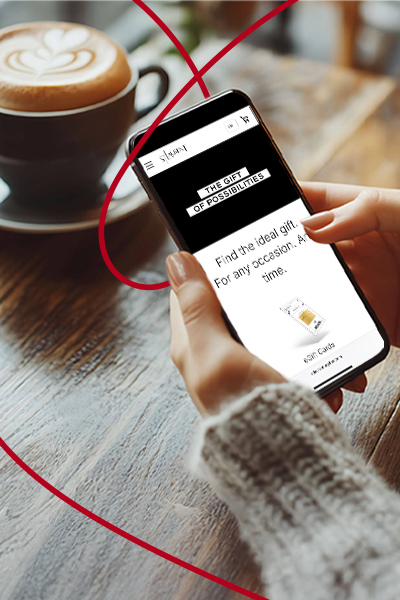
Gifting Made Simple
Give the Gift of ChoiceClick below to purchase a St. Laurent Shopping Centre eGift Card that can be used at participating retailers at St. Laurent Shopping Centre.Purchase HereHome
Adreama - 10000mah Power Bank 18W - White
Tbooth wireless
Loading Inventory...
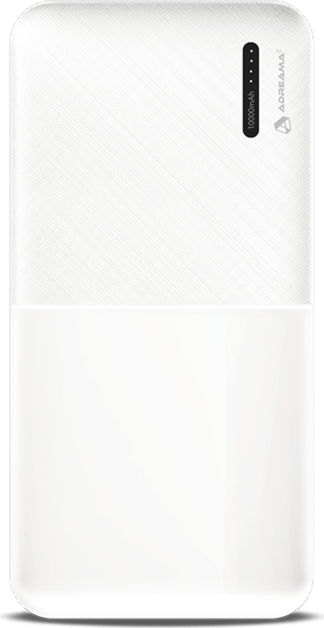
Adreama - 10000mah Power Bank 18W - White
From Adreama
Current price: $50.00
Tbooth wireless
Adreama - 10000mah Power Bank 18W - White
From Adreama
Current price: $50.00
Loading Inventory...
*Product information may vary - to confirm product availability, pricing, shipping and return information please contact Tbooth wireless
10000mAh power bank can fast charge your devices up to 18W Max. Charge up to 3 devices at the same time
How to charge the power bank:
• Charging will automatically start as soon as the power bank is connected to a power outlet
• Connect to a power outlet using the USB A-C cable (included) or USB C-C cable to charge up the power bank in ultra-speed. Or use a Micro USB cable for regular speed
LED power indicator lights:
• Press power button once to turn ON LED lights to view battery level
• Lights will auto shut off after 35 seconds if power bank is not in use
• 4 lit up LED lights mean power bank is fully charged
How to charge devices:
• Charging will automatically start as soon as the device is connected to the power bank
• Use the USB A-C cable (included) or USB C-C cable to charge your Android devices
• Use a Lightning to USB-A or Lightning to USB-C cable to charge your Apple devices
• The port being used auto detects the maximum wattage the device requires to charge at its optimal speed (up to 18W)
10000mAh power bank can fast charge your devices up to 18W Max. Charge up to 3 devices at the same time
How to charge the power bank:
• Charging will automatically start as soon as the power bank is connected to a power outlet
• Connect to a power outlet using the USB A-C cable (included) or USB C-C cable to charge up the power bank in ultra-speed. Or use a Micro USB cable for regular speed
LED power indicator lights:
• Press power button once to turn ON LED lights to view battery level
• Lights will auto shut off after 35 seconds if power bank is not in use
• 4 lit up LED lights mean power bank is fully charged
How to charge devices:
• Charging will automatically start as soon as the device is connected to the power bank
• Use the USB A-C cable (included) or USB C-C cable to charge your Android devices
• Use a Lightning to USB-A or Lightning to USB-C cable to charge your Apple devices
• The port being used auto detects the maximum wattage the device requires to charge at its optimal speed (up to 18W)
You May Also Like









Find at St. Laurent Shopping Centre in Ottawa, ON
Visit at St. Laurent Shopping Centre in Ottawa, ON